BEES
How we cut failed deliveries from 8% to 2% using the phone’s GPS.
A redesign of address confirmation in BEES’s new business registration, so shop owners in Colombia and Peru can place their store with GPS when Google Places can’t find the street.
- Client
- BEES · AB InBev
- Year
- 2023
- My role
- UX/UI design: research, definition, design and prototype
- Platform
- iOS and Android app
- Disciplines
- UX/UI
- Team
- Membership · Acquisition, Product Management, Engineering, Research, UX Writing and Compliance
- Tools
- Figma · Google Places API · Google Maps API
In 30 seconds
Problem
In rural areas of Colombia and Peru a written address wasn’t enough to locate the store. The pin landed far from the business and orders never arrived.
Solution
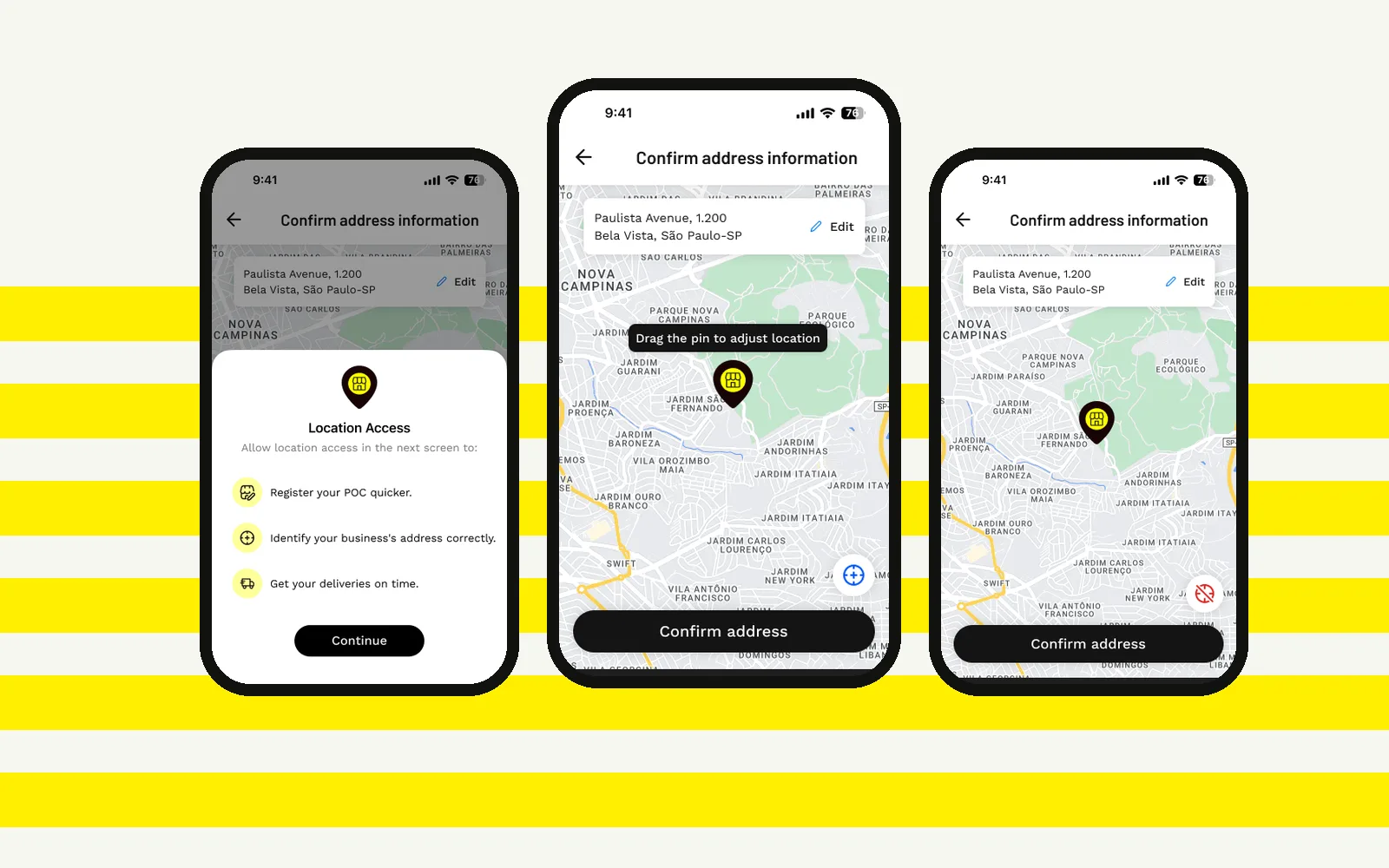
Use the phone’s GPS coordinates as a fallback for Google Places, asking for permission at the moment it’s needed and explaining first what it’s for.
Impact
Failed deliveries caused by addresses dropped from 8% to 2%, and 75% of users agreed to share their location.
01 · The problem
An address that leads nowhere
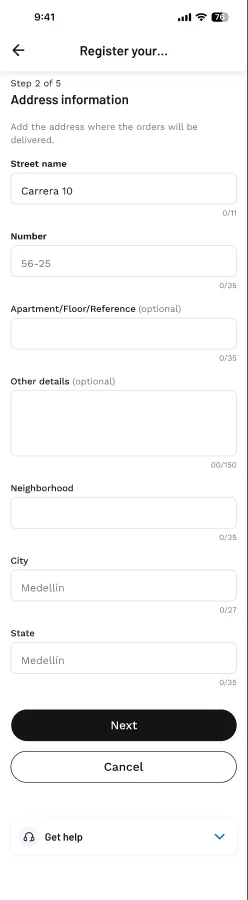
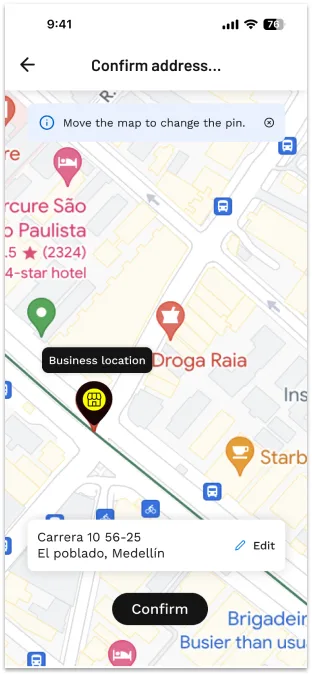
To buy from AB InBev, a store owner signs up for BEES through NBR (New Business Registration), a five-step flow. In step 2 they type their address with Google Places autocomplete; in step 3 they confirm it on a map. In rural areas many streets have no formal naming or don’t exist in Google Places: the user accepted a nearby suggestion and the pin ended up blocks, or kilometers, away from the actual business.
02 · My role
From hypothesis to screen
I owned the project end to end within the Membership · Acquisition team: current-flow analysis, benchmark, problem definition, screens and states for iOS and Android, prototype and presentation to the team. I worked closely with the PM, engineering, Research, UX Writing and Compliance; with Compliance we validated how to request and explain location use. With product we agreed on two goals: get latitude and longitude with as little friction as possible using what engineering already had, and measure how the feature was used.
03 · Definition
Problem, hypothesis and user
Before opening Figma I turned the challenge into an HLR (high-level requirement) with three statements, so product, engineering and design would judge the solution against the same thing.
04 · Research
Eleven apps that already ask for your location
I analyzed how eleven delivery and mobility apps our users already use ask for location, including Uber, Uber Eats, iFood and 99 Food, and checked it against guidance from Baymard Institute, Nielsen Norman Group, Apple and Google Maps Platform. The finding that shaped the design: Android allows two rejections before sending people to manual activation, but iOS gives a single chance. Explaining before asking stopped being optional, and only 5 of 11 apps did it.
- 11 of 11
- ask for location when the feature needs it
- 11 of 11
- offer a manual fallback
- 5 of 11
- explain why before asking
- 1
- chance to ask for permission on iOS
05 · Decisions
Where and how to ask for GPS
The key decision was when to ask for permission, because on iOS a rejection forces the user to go to Settings.
06 · The solution
Explain, ask, locate
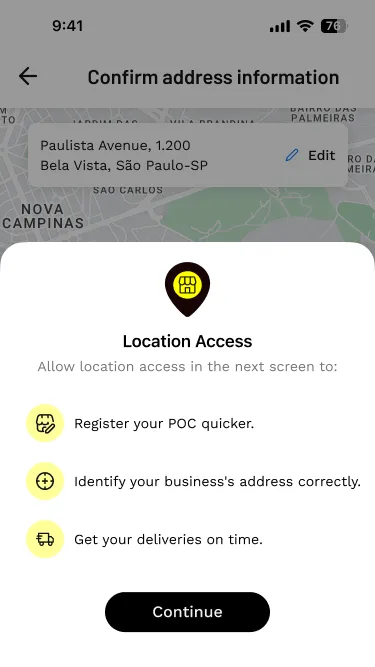
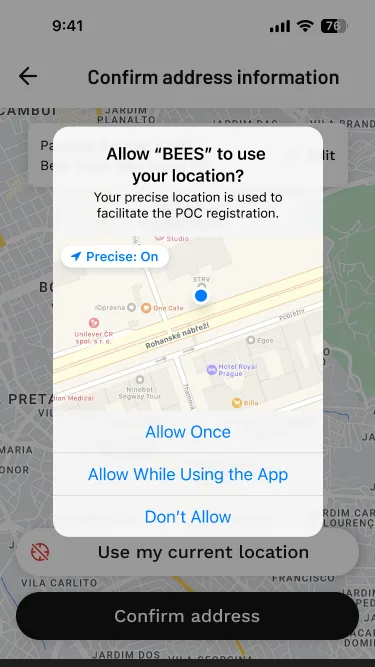
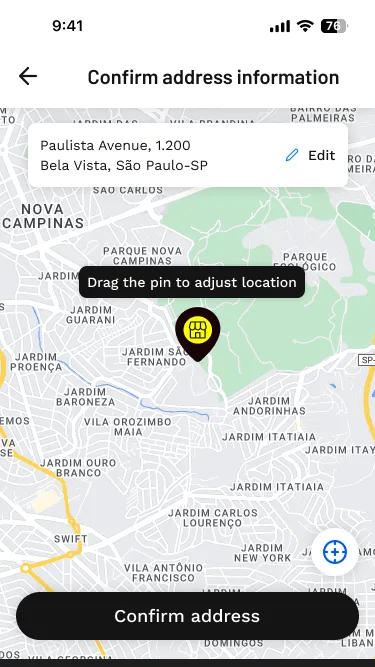
Before the system dialog, a bottom sheet explains in three benefits why BEES needs the location: register the business faster, place the address correctly and get deliveries on time. The native permission text repeats the same message. Once granted, the map centers on the GPS position, the address moves up as an editable reference, a tooltip invites adjusting the pin and a button recenters the map.
07 · The solution
If the user says no
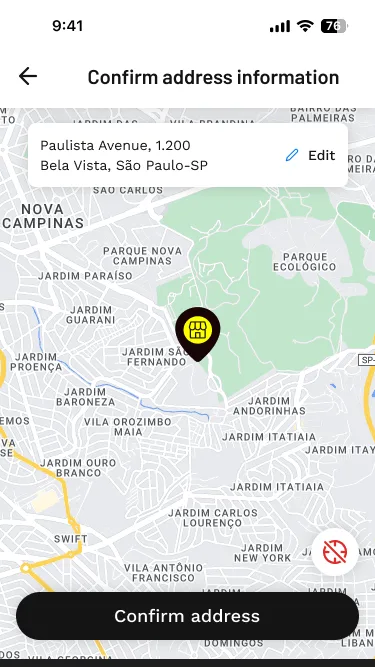
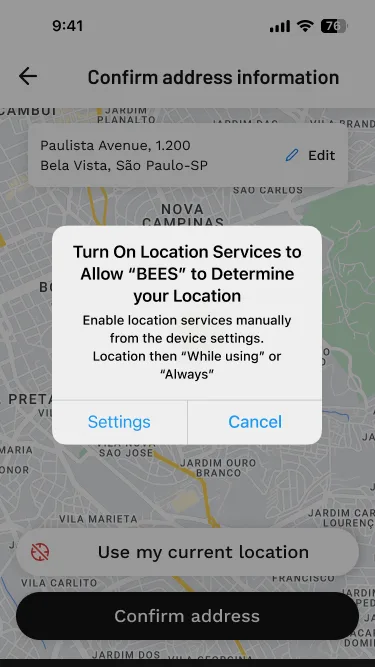
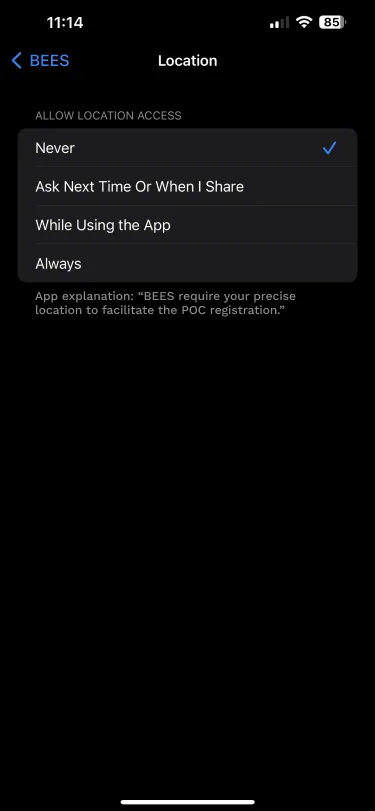
Denying permission doesn’t stop registration: the pin can still be moved by hand and a crossed-out location icon shows the state. Tapping it opens a dialog that explains how to turn location on and takes the user to Settings, where BEES’s explanation appears under the system options. With UX Writing we defined the copy for the pre-alert, the permission and Settings.
08 · Before and after
Less noise, the action within reach
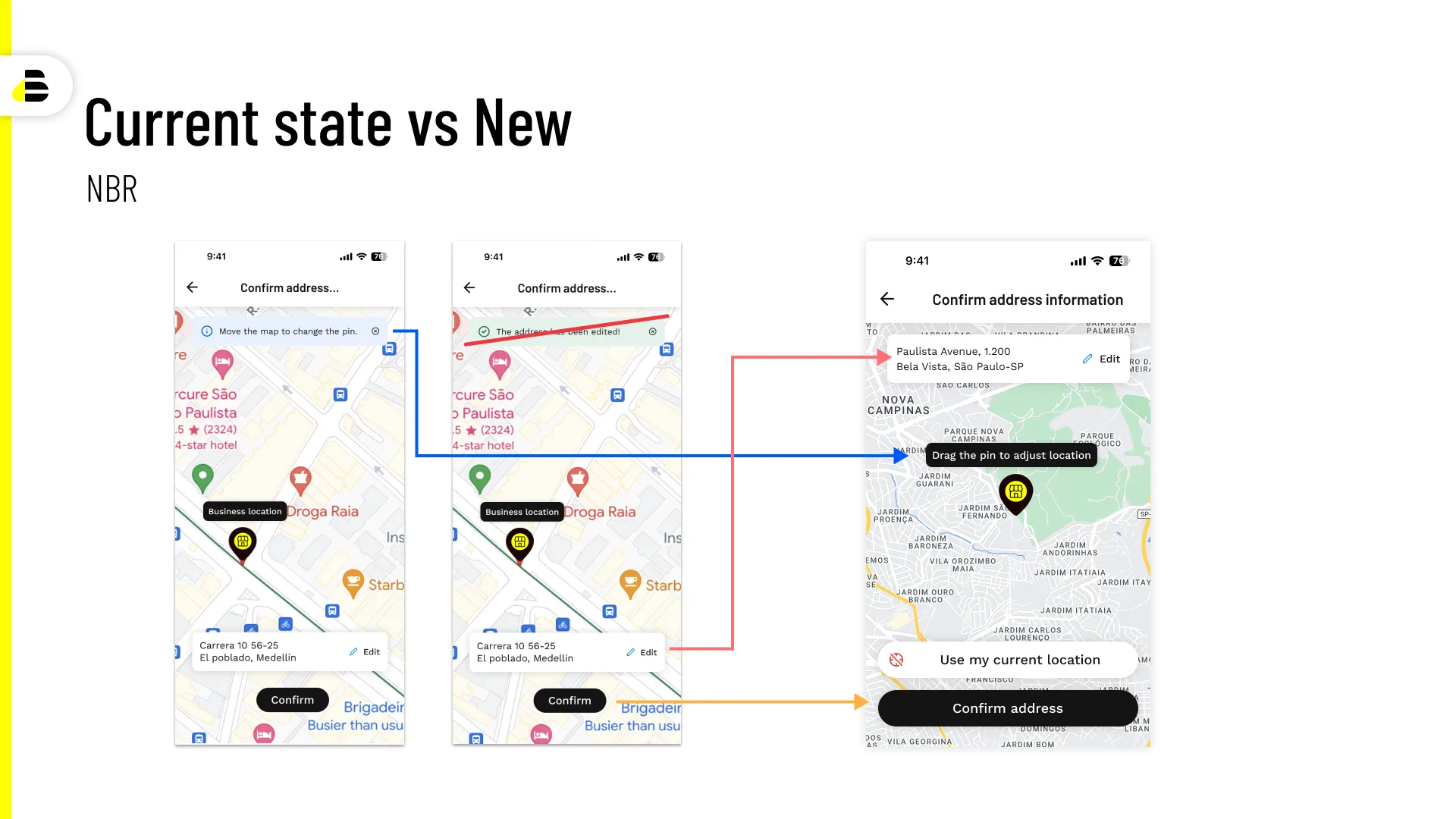
I removed the clutter of businesses and the instruction banner from the map. The instruction now lives next to the pin, the address moves to the top as a reference while adjusting, and the confirm button spans the full width, within thumb reach.
09 · Impact
What changed
The hypothesis held: with GPS as a fallback, new businesses in Colombia and Peru were registered where they actually are.
- 8% → 2%
- failed deliveries due to address
- 75%
- agreed to share their location
- −60%
- manual pin adjustments
- −15%
- drop-off at address confirmation
10 · Learnings
What I’d do differently
I’d test the pre-alert with real shop owners before launch, especially the order of the three benefits, and split measurement by platform from the start, because iOS and Android behave differently after a rejection. The natural next step is to use the same logic so an already registered business can correct its location from the app.